| .ci | ||
| .github | ||
| api_server | ||
| app | ||
| comfy | ||
| comfy_execution | ||
| comfy_extras | ||
| custom_nodes | ||
| input | ||
| model_filemanager | ||
| models | ||
| notebooks | ||
| output | ||
| script_examples | ||
| tests | ||
| tests-unit | ||
| utils | ||
| web | ||
| .gitattributes | ||
| .gitignore | ||
| .pylintrc | ||
| CODEOWNERS | ||
| comfyui_screenshot.png | ||
| comfyui.bat | ||
| CONTRIBUTING.md | ||
| cuda_malloc.py | ||
| deepcache-sample.json | ||
| execution.py | ||
| extra_model_paths.yaml.example | ||
| fix_torch.py | ||
| fix-update.bat | ||
| fixforrx580.bat | ||
| folder_paths.py | ||
| install.bat | ||
| latent_preview.py | ||
| LICENSE | ||
| main.py | ||
| new_updater.py | ||
| node_helpers.py | ||
| nodes.py | ||
| patchzluda.bat | ||
| pytest.ini | ||
| README.md | ||
| requirements.txt | ||
| server.py | ||
| start-tunableop-novram.bat | ||


ComfyUI-ZLUDA
Windows-only version of ComfyUI which uses ZLUDA to get better performance with AMD GPUs.
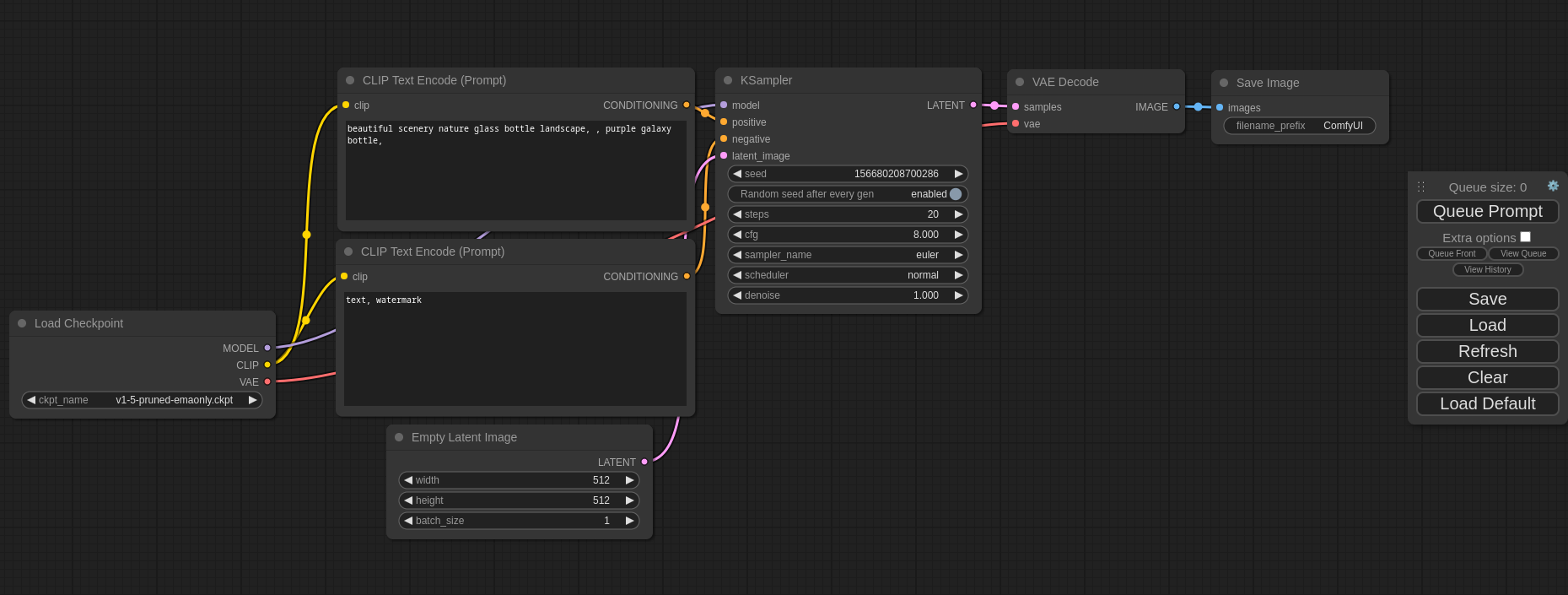
Table of Contents
What's New?
- Changed
start.battocomfyui.batbecause there is already a windows command by that name, which creates some problems. Also addedfix-update.batwhich solves the problem that causes not being able to update to the latest version. - Updated ZLUDA to 3.8.4, thanks to lshqqytiger for still supporting HIP SDK 5.7. Install will install that version from
now on, and if you are already on the previous one please run
patchzluda.batonce. Of course, remember the first time for every type of model would take extra time. You can still use both zluda's on the same machine btw. But I recommend updating.
Important
📢 REGARDING KEEPING THE APP UP TO DATE
Avoid using the update function from the manager, instead use
git pull, which we are doing on every start ifstart.batis used. (App Already Does It Every Time You Open It, If You Are Usingcomfyui.bat, So This Way It Is Always Up To Date With Whatever Is On My GitHub Page)Only use comfy manager to update the extensions (Manager -> Custom Nodes Manager -> Set Filter To Installed -> Click Check Update On The Bottom Of The Window) otherwise it breaks the basic installation, and in that case run
install.batonce again.
Dependencies
If coming from the very start, you need :
- Git: Download from https://git-scm.com/download/win. During installation don't forget to check the box for "Use Git from the Windows Command line and also from 3rd-party-software" to add Git to your system's PATH.
- Python (3.10.11 or 3.11 from the official website): Install the latest release from python.org. Don't Use Windows Store Version. If you have that installed, uninstall and please install from python.org. During installation remember to check the box for "Add Python to PATH when you are at the "Customize Python" screen.
- Visual C++ Runtime: Download vc_redist.x64.exe and install it.
- Install HIP SDK 5.7.1 from HERE
- Update: HIP 6.1.2 released now, but there are problems so no need to use that one, please be careful about selecting the correct version, "Windows 10 & 11 5.7.1 HIP SDK"
- Add the system variable HIP_PATH, value:
C:\\Program Files\\AMD\\ROCm\\5.7\\(This is the default folder, if you have installed it on another drive, change if necessary)- Check the variables on the lower part (System Variables), there should be a variable called: HIP_PATH.
- Also check the variables on the lower part (System Variables), there should be a variable called: "Path". Double-click it and click "New" add this: C:\Program Files\AMD\ROCm\5.7\bin
- If you have an AMD GPU below 6800 (6700,6600 etc.), download the recommended library files for your gpu
from Brknsoul Repository
- Go to folder "C:\Program Files\AMD\ROCm\5.7\bin\rocblas", there would be a "library" folder, backup the files inside to somewhere else.
- Open your downloaded optimized library archive and put them inside the library folder (overwriting if necessary): "C:\Program Files\AMD\ROCm\5.7\bin\rocblas\library"
- Reboot your system.
Setup (Windows-Only)
Open a cmd prompt.
git clone https://github.com/patientx/ComfyUI-Zluda
cd ComfyUI-Zluda
install.bat
to start for later use (or create a shortcut to) :
comfyui.bat
also for later when you need to repatch zluda (maybe a torch update etc.) you can use:
patchzluda.bat
- The first generation would take around 10-15 minutes, there won't be any progress or indicator on the webui or cmd window, just wait. Zluda creates a database for use with generation with your gpu.
Note
This might happen with torch changes , zluda version changes and / or gpu driver changes.
Troubleshooting
- Wipe your pip cache "C:\Users\USERNAME\AppData\Local\pip\cache" You can also do this when venv is active with :
pip cache purge xformersisn't usable with zluda so any nodes / packages that require it doesn't work.Flash attentiondoesn't work. And lastly usingcodeformerfor face restoration gives "Failed inference: CUDA driver error: unknown error" You should use gfpgan / gpen / restoreformer or other face restoration models.- Have the latest drivers installed for your amd gpu. Also, Remove Any Nvidia Drivers you might have from previous nvidia gpu's.
- If you see zluda errors make sure these three files are inside "ComfyUI-Zluda\venv\Lib\site-packages\torch\lib"
cublas64_11.dll (196kb)cusparse64_11.dll (193kb)nvrtc64_112_0.dll (125kb)If they are there but bigger files run :patchzluda.bat - If for some reason you can't solve with these and want to start from zero, delete "venv" folder and re-run
install.bat - If you can't git pull to the latest version, run these commands,
git fetch --alland thengit reset --hard origin/masternow you can git pull - Problems with
caffe2_nvrtc.dll: if you are sure you properly installed hip and can see it on path, please DON'T use python from windows store, use the link provided or 3.11 from the official website. After uninstalling python from windows store and installing the one from the website, be sure the delete venv folder, and run install.bat once again.